Follow Me On Social Media!



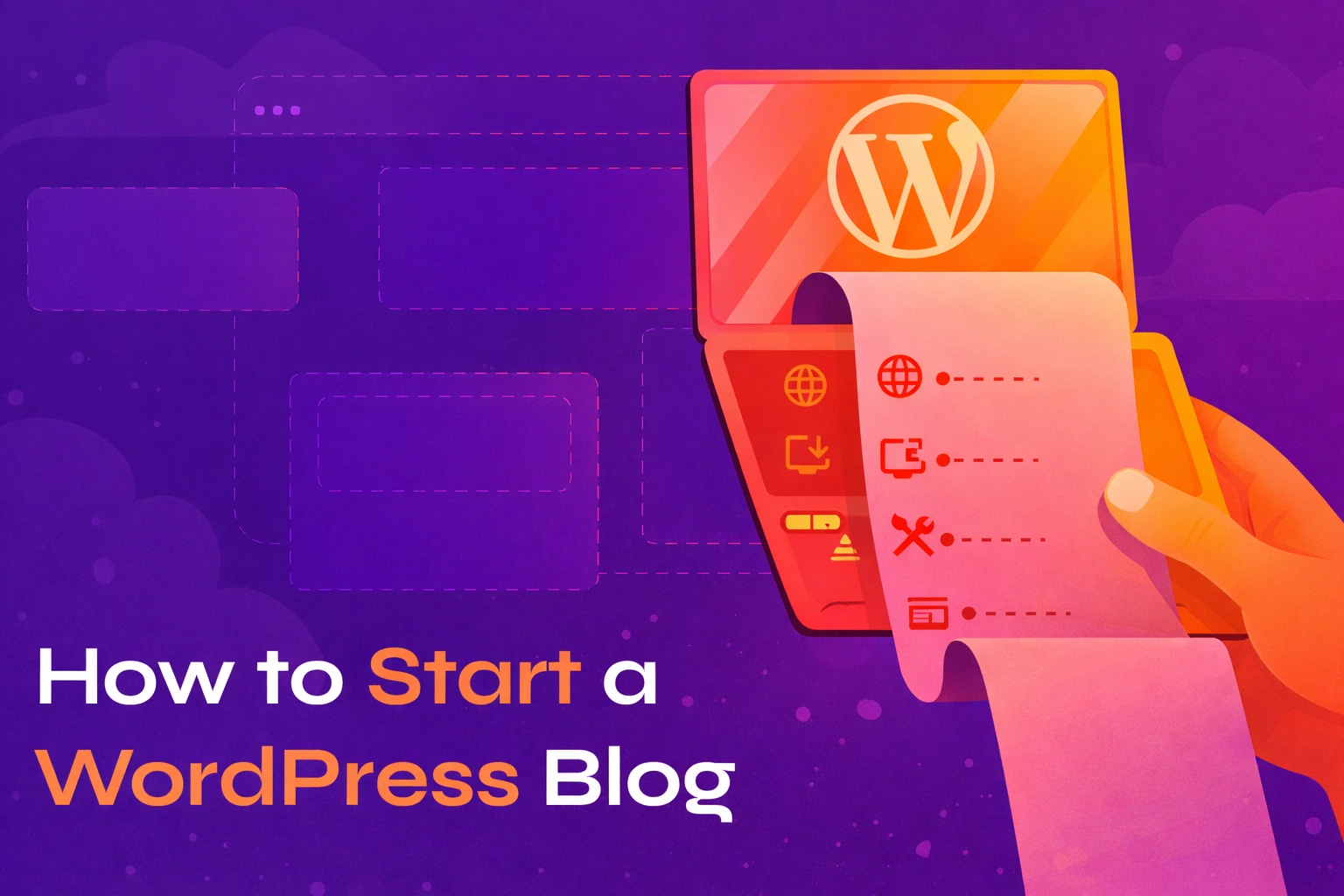
Starting a WordPress blog today is easier than most people think. In fact, the whole setup usually takes around 15–20 minutes, and the cost can be as low as $3–10 per month for hosting plus about $10–15 per year for a domain name. The WordPress software itself is completely free.
Many bloggers start with nothing more than an idea and a few spare minutes in the evening. With the right steps, you can go from that idea to publishing your first article the same day.
In this guide, I’ll walk you through the entire process — from choosing a blog topic to launching your first post.
Table of Contents
What You Need to Get Started
Before creating your blog, you only need a few basic things:
- About 15–20 minutes to complete the setup
- A blog niche (the topic you’ll write about)
- A web hosting account
- A domain name for your website
Once these are in place, building your blog becomes surprisingly straightforward.
Choose Your Blog Niche
Your niche is simply the main topic your blog will focus on. Choosing it early makes it easier to decide on a domain name, design your site, and attract readers who are interested in what you write.
A good niche usually sits between three important factors:
Your interests
You’ll be writing about this topic regularly, so it should be something you enjoy learning and talking about.
Your knowledge or experience
You don’t need to be an expert. Many successful bloggers simply share what they learn along the way.
Audience interest
The topic should be something people search for online.
Some common blog niches include:
- Food and recipes
- Travel
- Technology
- Personal finance
- Health and fitness
- Parenting
- Photography
- Lifestyle
Don’t worry too much about choosing the “perfect” niche. Many bloggers refine their focus as their blog grows.
WordPress.org vs WordPress.com
Before moving forward, it’s important to understand that there are two versions of WordPress.
WordPress.org (Self-Hosted)
This is the version most bloggers use. You install WordPress on your own hosting account and have full control over your website. You can choose any theme, install plugins, run ads, and customize your blog however you like.
WordPress.com
WordPress.com is a hosted service that manages everything for you. While it’s easier to start, the free plan has several limitations, including restricted themes, limited customization, and a WordPress-branded domain.
For most people who want to build a real blog, WordPress.org is the better option because it gives you complete freedom.
Choose a Web Hosting Provider
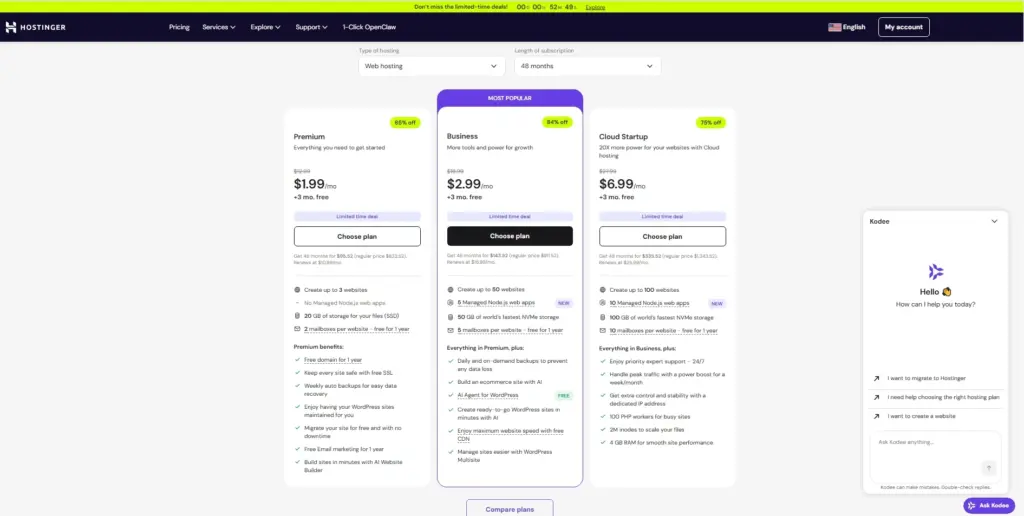
Web hosting is the service that stores your website files and makes your blog accessible on the internet.
Think of it as the “home” where your website lives.
For beginners, shared hosting is usually the best option. It’s affordable, reliable, and more than capable of handling a new blog.
What to Look for in Hosting
When choosing a hosting provider, look for these features:
- One-click WordPress installation
- Free SSL certificate for secure browsing
- Reliable uptime (99.9% or higher)
- Fast server performance
- 24/7 customer support
Most beginner blogs start with shared hosting and upgrade later as traffic grows.
Register Your Domain Name
Your domain name is the address people type into their browser to visit your blog — for example:
yourblogname.com
Tips for Choosing a Good Domain
- Keep it short and memorable
- Choose something easy to spell
- Avoid numbers and hyphens
- Use .com if possible
Many hosting providers allow you to register a domain during signup, and some even offer the first year free.
Install WordPress
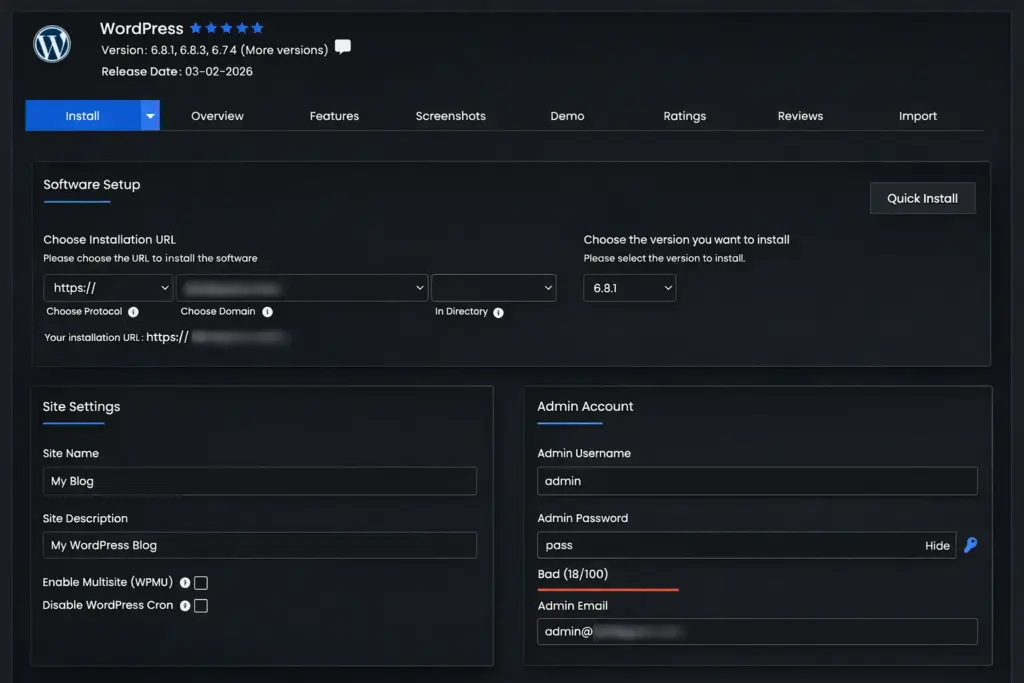
Once you have hosting and a domain, installing WordPress is very simple.
Most hosting companies offer one-click WordPress installation. You just enter a few details such as:
- Site name
- Admin username
- Password
Within a few minutes your website will be ready.
Your admin dashboard can usually be accessed through:
yourdomain.com/wp-admin
This is where you’ll manage everything about your blog.
Get Familiar With the WordPress Dashboard
When you log in for the first time, the WordPress dashboard may look overwhelming, but the main sections are quite simple.
Posts – where you write blog articles
Pages – for static pages like About or Contact
Appearance – where you manage your theme and design
Plugins – where you add new features
Settings – where you configure your site
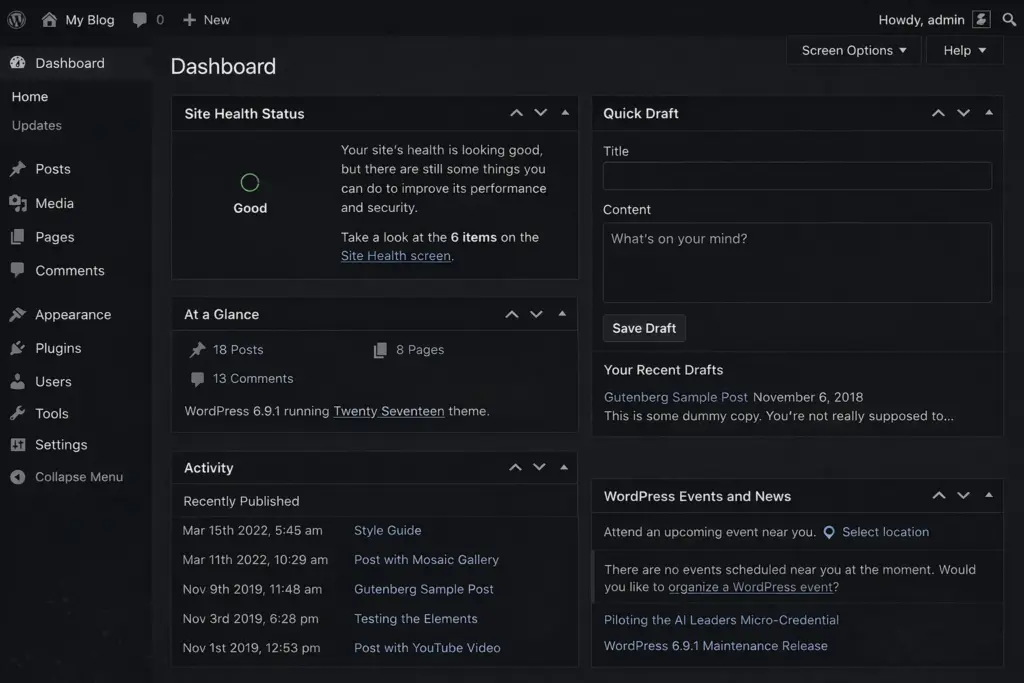
After a little exploration, most people become comfortable with the dashboard quickly.
Important Settings to Adjust
Before publishing anything, it’s a good idea to adjust a few basic settings.
Permalinks
Go to Settings → Permalinks and select Post name. This creates clean URLs like:
yourblog.com/my-first-post
Site title and tagline
Set your blog name and description under Settings → General.
Remove default content
Delete the sample “Hello World” post that comes with WordPress.
These small steps help make your blog look more professional right away.
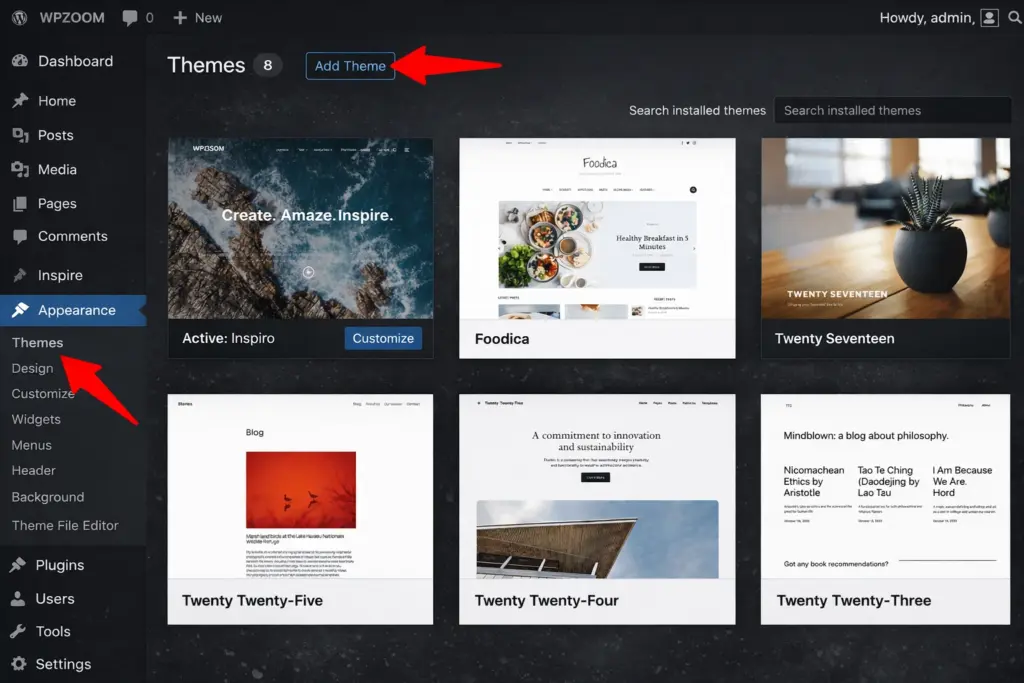
Choose a WordPress Theme
Your theme controls how your blog looks — including layout, fonts, colors, and overall design.
There are thousands of WordPress themes available.
Free Themes
You can find free themes directly inside the WordPress dashboard.
Premium Themes
Paid themes usually offer more design options and support. They typically cost between $40–100.
What Makes a Good Theme
Look for a theme that is:
- Mobile-friendly
- Fast loading
- Regularly updated
- Compatible with modern WordPress features
You can always change themes later, so don’t worry about finding the perfect design immediately.
Install Essential Plugins
Plugins extend the functionality of your blog. They allow you to add new features without coding.
Some useful plugin categories include:
SEO plugins – help optimize posts for search engines
Security plugins – protect your website
Performance plugins – improve loading speed
Backup plugins – protect your data
Contact form plugins – allow readers to contact you
Avoid installing too many plugins at once. Start with the essentials and add more only when needed.
Create Your Important Pages
Before publishing blog posts, it’s helpful to create a few basic pages.
About Page
Explain who you are and what your blog is about. This is often one of the most visited pages.
Contact Page
Give readers a way to reach you through a contact form.
Privacy Policy
If you use analytics, ads, or cookies, you should include a privacy policy.
You can create these pages by going to:
Pages → Add New
Write Your First Blog Post
Now comes the exciting part — publishing your first article.
Go to Posts → Add New in the dashboard. The WordPress editor lets you build your article using simple blocks such as:
- Paragraph text
- Headings
- Images
- Lists
- Quotes
Tips for Your First Post
- Introduce yourself and your blog
- Use headings to organize the content
- Add at least one image
- Keep the article clear and focused
Once everything looks good, click Publish.
Congratulations — you’ve just launched your blog.
Set Up Your Blog for Growth
After launching, a few tools can help your blog grow.
Google Analytics – tracks visitor activity
Google Search Console – helps your site appear in search results
Email list tools – allow readers to subscribe to updates
Planning your next few articles early also helps maintain momentum.
Consistency is often more important than publishing large amounts of content.
How Much Does It Cost to Start a WordPress Blog?
Here’s a simple breakdown of typical costs.
| Item | Cost |
|---|---|
| WordPress software | Free |
| Domain name | $10–15 per year |
| Web hosting | $3–10 per month |
| Premium theme (optional) | $40–100 |
| Premium plugins (optional) | varies |
Most beginners spend $50–150 in the first year.
Frequently Asked Questions
Is WordPress free?
Yes. WordPress itself is free software. The main expenses are hosting and a domain name.
Do I need coding skills?
No. WordPress allows you to create and manage content visually without coding knowledge.
How long does it take to start a blog?
The technical setup can take about 15–20 minutes. Writing your first post may take longer depending on your content.
Can I make money with a WordPress blog?
Yes. Many bloggers earn through advertising, affiliate marketing, digital products, or services. However, building traffic takes time and consistency.
Start Your WordPress Blog Today
Starting a blog may feel intimidating at first, but the process is much simpler than it seems.
Once you choose your niche, set up hosting, install WordPress, and publish your first post, you’re already ahead of most people who only think about blogging but never begin.
Your blog doesn’t need to be perfect on day one.
It just needs to exist.
Everything else — design, content, and growth — will improve as you continue building it.