
Follow Me On Social Media!



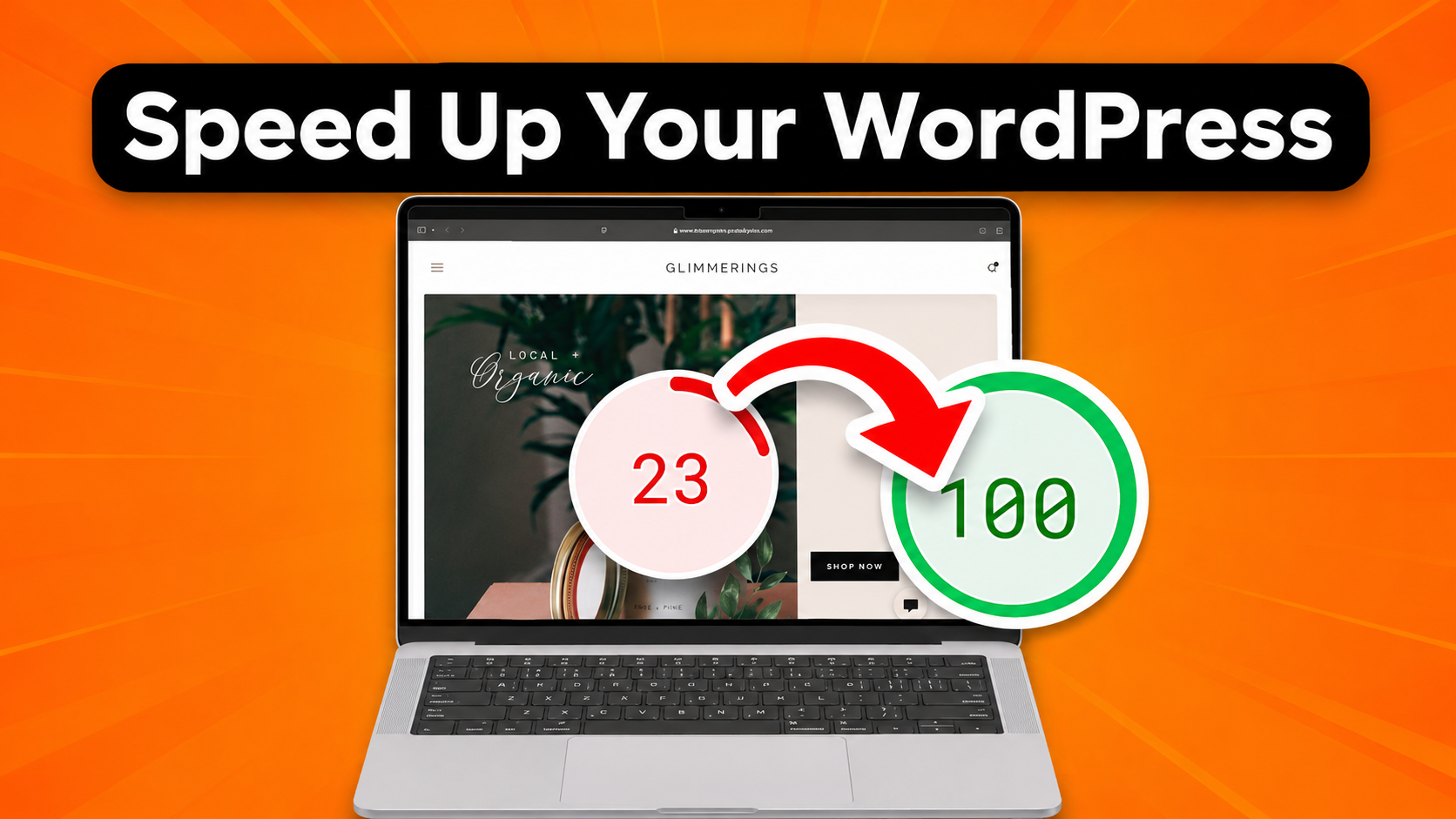
Website speed is one of the most important factors for the success of any online project. Whether you run a blog, business website, or online store, visitors expect pages to load quickly and smoothly. If your website loads slowly, users will likely leave before they even see your content.
Studies show that even a one-second delay in loading time can significantly reduce user engagement and conversions. Faster websites not only improve the user experience but also perform better in search engine rankings.
Search engines like Google consider page speed as an important ranking factor. That means a slow website can directly affect your visibility in search results.
Fortunately, WordPress offers many ways to improve performance. With the right optimization strategies, you can significantly reduce loading times and create a faster browsing experience for visitors.
In this guide, we will explore practical methods that help speed up your WordPress website and keep it running efficiently.
Table of Contents
Why Website Speed Matters for WordPress Sites
Before making any technical changes, it is helpful to understand why website speed plays such an important role.
A fast website improves many aspects of your online presence, including user satisfaction and search engine optimization.
Key Benefits of a Fast Website
| Benefit | Explanation |
|---|---|
| Better user experience | Visitors enjoy faster browsing and navigation |
| Higher search rankings | Google favors faster websites |
| Lower bounce rate | Users stay longer when pages load quickly |
| More conversions | Faster sites lead to more purchases or sign-ups |
| Improved mobile performance | Mobile users expect quick loading |
Visitors usually expect websites to load in two to three seconds. If your website takes longer than that, many users will leave and look for information somewhere else.
Because of this, optimizing website speed should be part of every WordPress website maintenance routine.
Reduce the Overall Page Size
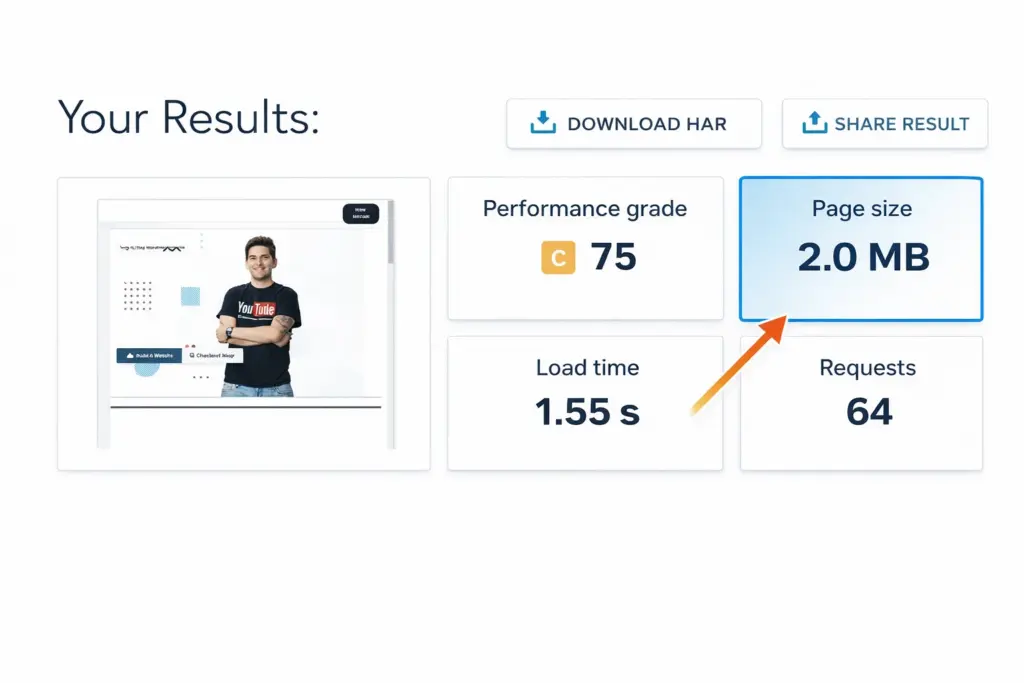
One of the most important factors affecting website speed is the total size of your web pages.
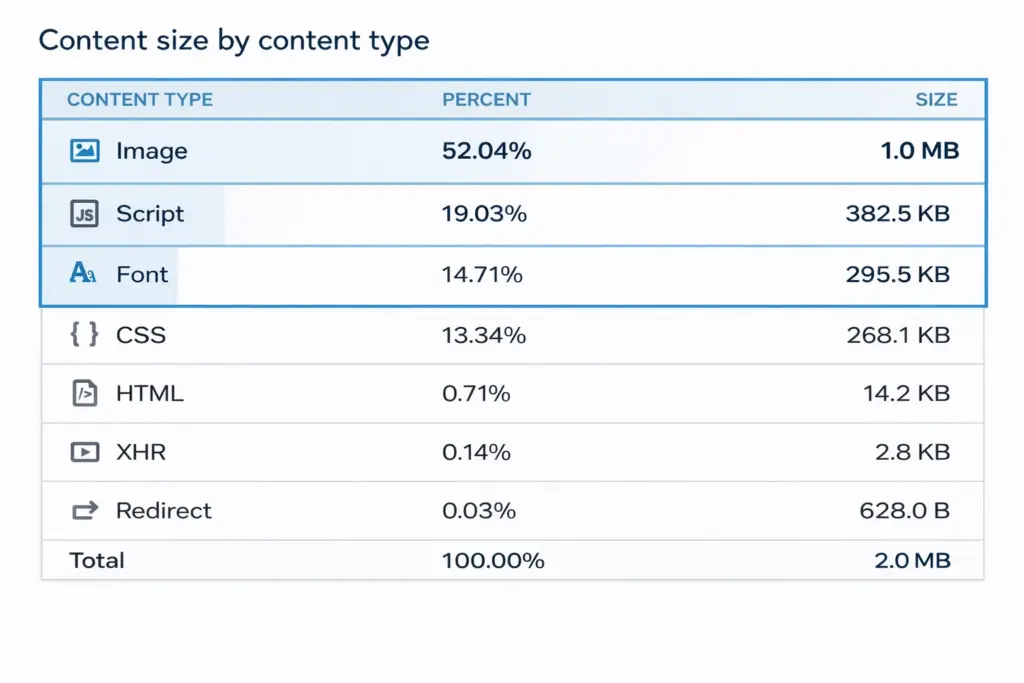
Every element on your website—images, videos, scripts, and stylesheets—adds to the page size. When a page becomes too large, it takes longer for browsers to download and display it.
Recommended Page Size
| Page Type | Recommended Size |
|---|---|
| Blog article | Under 2 MB |
| Landing page | Under 3 MB |
| Image-heavy page | Under 4 MB |
Keeping pages lightweight ensures faster loading and a better browsing experience.
Ways to Reduce Page Size
Some simple ways to reduce page size include:
- Compressing images before uploading
- Avoiding unnecessary animations or scripts
- Removing unused plugins or themes
- Using lightweight design elements
A smaller page size allows browsers to render the page faster, which improves the overall speed of your website.
Choose High-Quality Web Hosting
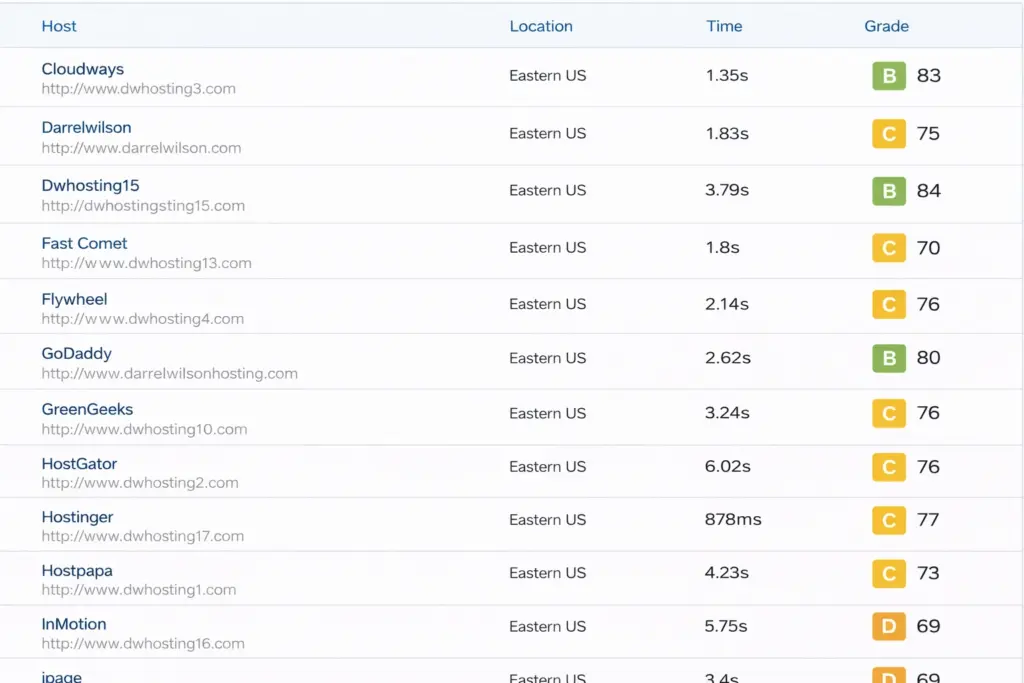
Your hosting provider is one of the most important factors affecting website performance. Even if your website is well optimized, poor hosting can slow down your site significantly.
Cheap hosting services often place many websites on the same server, which can reduce available resources and affect performance.
Types of WordPress Hosting
| Hosting Type | Average Monthly Cost | Best For |
|---|---|---|
| Shared hosting | $3 – $10 | Beginners and small websites |
| Managed WordPress hosting | $15 – $40 | Growing blogs and businesses |
| VPS hosting | $20 – $80 | High-traffic websites |
| Dedicated servers | $80 – $200+ | Large businesses and enterprises |
Reliable hosting ensures:
- Faster server response times
- Stable website uptime
- Better security and support
Investing in quality hosting is often the first step toward improving WordPress speed.
Optimize Images Before Uploading
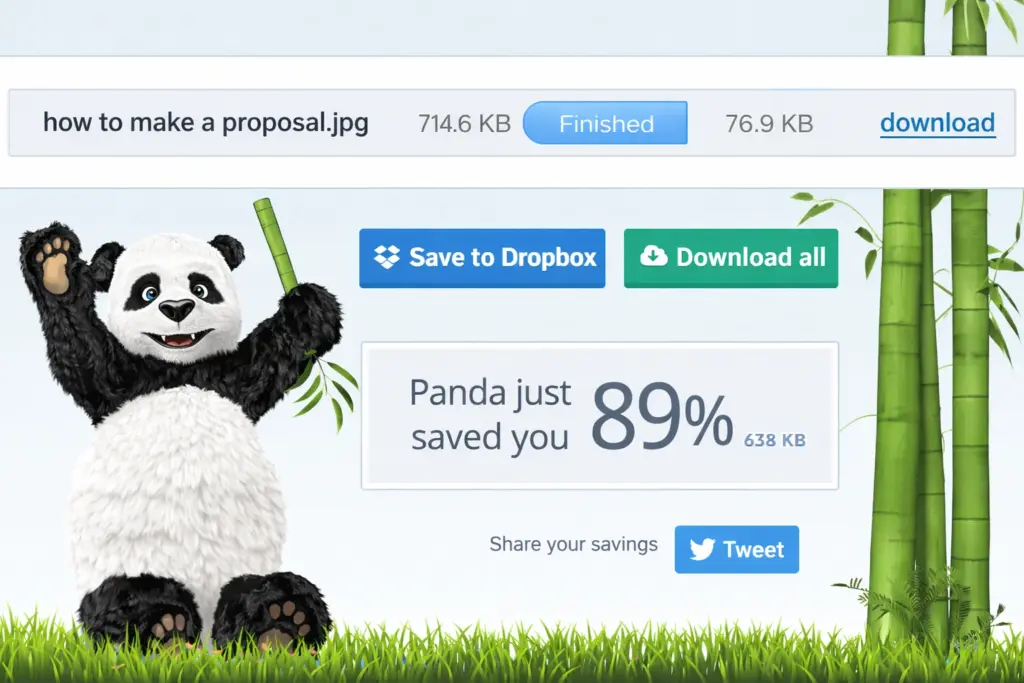
Images usually represent the largest files on a webpage. Large images can slow down loading times if they are not properly optimized.
Uploading high-resolution photos directly from a camera or smartphone can result in image sizes of several megabytes.
Recommended Image Sizes
| Image Type | Recommended Width |
|---|---|
| Blog images | 1200 px |
| Featured images | 1200 – 1600 px |
| Thumbnails | 300 – 600 px |
Image Optimization Techniques
To improve loading speed, consider the following strategies:
- Resize images before uploading them
- Compress image files using optimization tools
- Use modern formats such as WebP
- Avoid uploading unnecessary high-resolution images
Optimized images maintain visual quality while reducing file size, which improves page loading times.
Limit the Number of Installed Plugins
Plugins are extremely useful because they add extra functionality to WordPress. However, installing too many plugins can negatively affect performance.
Each plugin adds additional code that your website must load when a page is opened. Poorly optimized plugins can also slow down server response times.
Recommended Plugin Categories
Most websites only need a few essential plugins.
| Plugin Type | Purpose |
|---|---|
| SEO plugin | Improves search engine optimization |
| Security plugin | Protects the website from threats |
| Cache plugin | Speeds up page loading |
| Backup plugin | Creates site backups |
| Contact form plugin | Allows users to send messages |
Plugin Optimization Tips
- Remove unused plugins regularly
- Choose well-maintained plugins from trusted developers
- Avoid installing multiple plugins that perform the same function
Keeping your plugin list small helps maintain better website performance.
Use a Caching Plugin
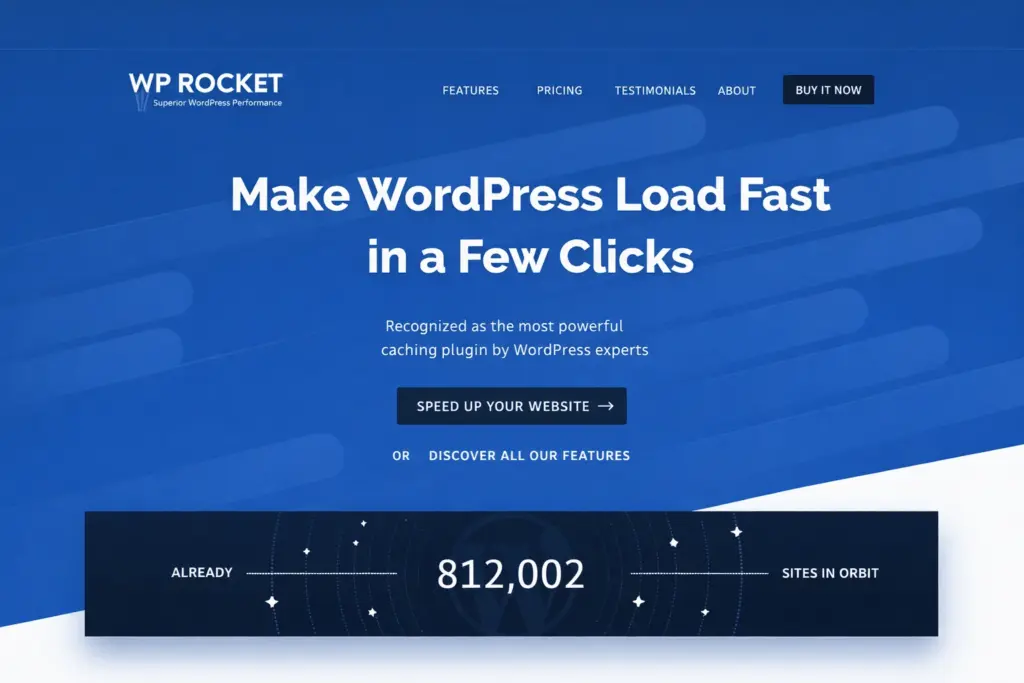
Caching is one of the most effective methods for improving WordPress speed.
Normally, WordPress dynamically generates each page when a visitor opens it. This process requires database queries and server processing.
Caching plugins create static versions of your pages and deliver them instantly to visitors.
Benefits of Caching
| Benefit | Result |
|---|---|
| Faster page loading | Pages load almost instantly |
| Reduced server load | Less processing required |
| Better scalability | Handles higher traffic |
Many caching plugins also include additional optimization tools such as file compression and script minification.
Reduce External Scripts and Third-Party Requests
Many websites rely on external scripts for analytics, advertising, fonts, and social media features.
While these scripts provide useful functionality, they can also slow down your website because each one requires a connection to an external server.
Common External Scripts
| Script Type | Example |
|---|---|
| Analytics | Google Analytics |
| Advertising | Ad networks |
| Social widgets | Facebook or Twitter widgets |
| Fonts | Google Fonts |
To improve speed:
- Remove unnecessary scripts
- Combine multiple files when possible
- Load scripts asynchronously
Reducing external requests helps improve page performance.
Enable Lazy Loading for Images
Lazy loading is a technique that delays loading images until they become visible on the screen.
Instead of loading every image immediately when the page opens, images load only when the visitor scrolls to them.
Benefits of Lazy Loading
| Advantage | Explanation |
|---|---|
| Faster initial load | Only visible images load first |
| Reduced bandwidth | Less data transferred initially |
| Better mobile performance | Mobile users benefit from faster loading |
Lazy loading is particularly useful for websites that contain many images, such as blogs, portfolios, or online stores.
Use a Content Delivery Network (CDN)
A Content Delivery Network helps improve website speed by distributing your website content across multiple servers located around the world.
When a visitor accesses your website, the CDN delivers content from the server closest to their location.
CDN Benefits
| Benefit | Description |
|---|---|
| Faster loading globally | Reduces distance between users and servers |
| Lower server load | Distributes traffic across multiple servers |
| Better reliability | Prevents performance issues during traffic spikes |
CDNs are especially helpful for websites with visitors from multiple countries.
Keep WordPress Updated
Regular updates are essential for maintaining both performance and security.
WordPress developers constantly release improvements that enhance speed, fix bugs, and improve compatibility with modern technologies.
Always Update
- WordPress core
- Installed plugins
- Active themes
Keeping everything updated ensures that your website runs using the most optimized and secure versions of the software.
Final Thoughts
Improving WordPress website speed does not require advanced technical skills. By applying several simple optimization strategies, you can dramatically improve performance and user experience.
The most effective steps include:
- Choosing reliable hosting
- Optimizing images
- Using caching plugins
- Reducing unnecessary scripts
- Limiting the number of plugins
A fast website not only keeps visitors happy but also improves search engine rankings and overall website success.
Regularly reviewing and optimizing your website ensures that your WordPress site remains fast, efficient, and ready to handle increasing traffic.