
Follow Me On Social Media!



Running a website today isn’t just about publishing content or listing products. Visitors expect quick answers, instant support, and a smooth experience while browsing your site. If they can’t get the information they need quickly, chances are they’ll leave and look elsewhere.
Many website owners have experienced this situation: a visitor is interested in a product or service, but they have one small question before taking the next step. Without an easy way to get help, that potential customer may simply abandon the page.
This is where live chat can make a huge difference.
However, most traditional chat platforms are designed for large companies with big budgets and dedicated support teams. They often charge per agent, per conversation, or based on monthly usage, which can quickly become expensive for small businesses.
That’s why a new WordPress-focused solution like WPChat is gaining attention. It provides a simple and affordable way for website owners to communicate with visitors directly through popular messaging apps such as WhatsApp, Instagram, Messenger, and Telegram.
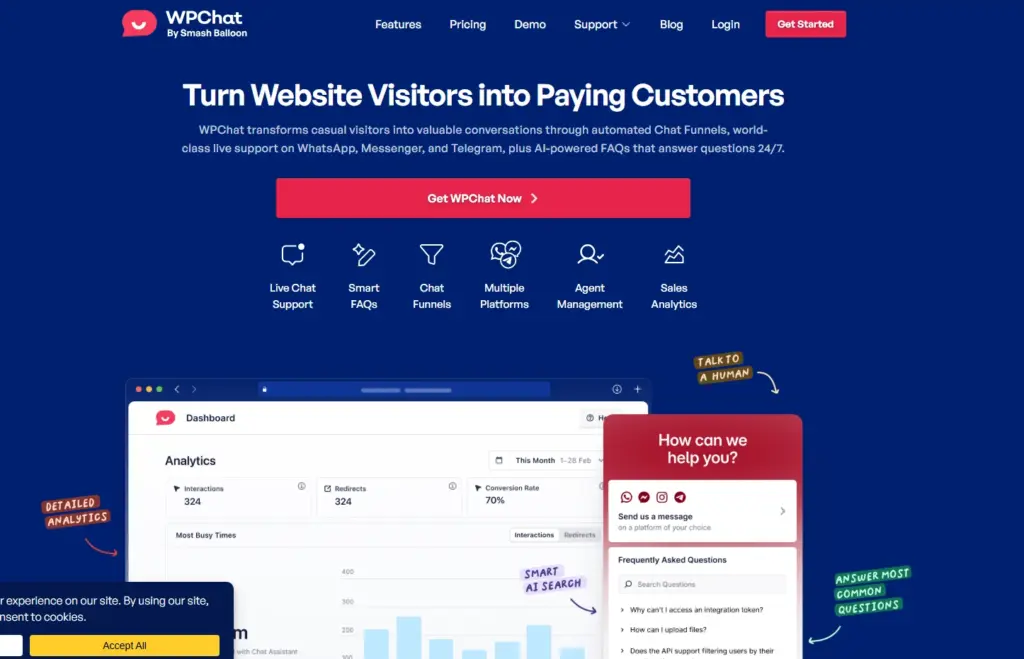
Instead of complicated systems and costly subscriptions, WPChat focuses on something simpler: helping WordPress users start conversations with visitors quickly and turn those conversations into real business opportunities.
Table of Contents
Why Instant Communication Matters for Modern Websites
Online visitors today expect immediate responses. Waiting hours for a reply to a contact form is no longer acceptable for most users.
If someone has a question about pricing, features, shipping, or services, they want an answer immediately. If they don’t get it, they’ll simply move on.
Here are some common challenges website owners face without live chat:
| Problem | Impact on Business |
|---|---|
| Visitors can’t find quick answers | Lost sales and higher bounce rates |
| Contact forms feel slow | Delayed conversations and missed opportunities |
| Email support takes too long | Customers look for faster alternatives |
| No direct communication channel | Lower trust and engagement |
Live chat helps solve these issues by allowing businesses to respond instantly and guide visitors through their decision-making process.
But there’s an important shift happening: people now prefer messaging apps over traditional website chat boxes.
Chat Where Your Customers Already Are
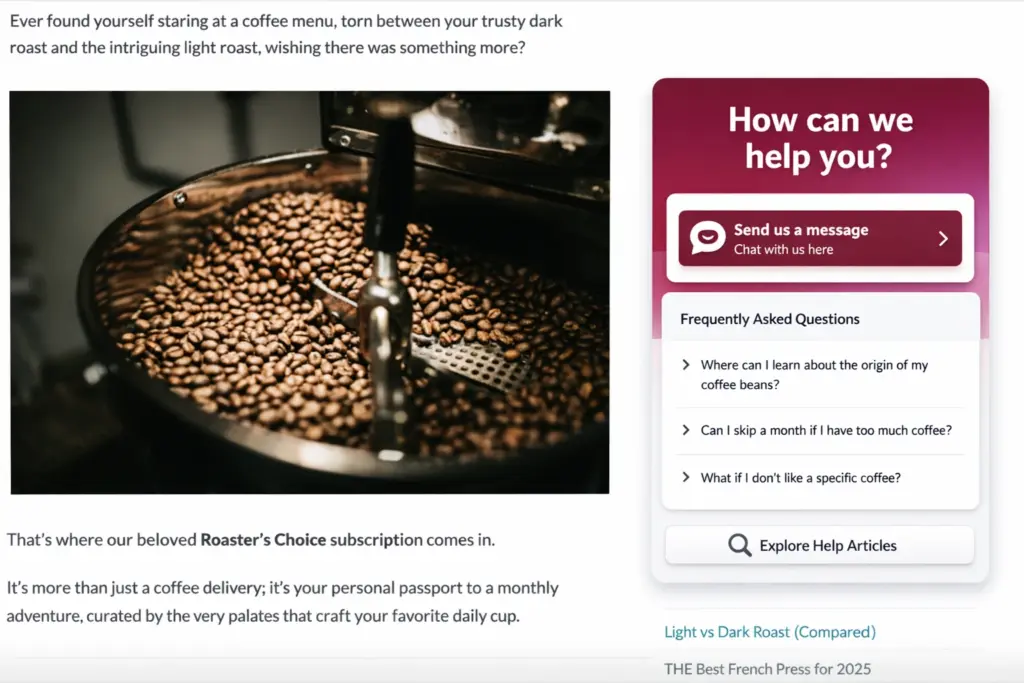
Instead of relying on a chat widget that disappears when a visitor leaves your website, WPChat connects your site to the messaging platforms your audience already uses daily.
When a visitor starts a conversation, it opens in their preferred messaging app. This means the discussion can continue even after they leave your website.
WPChat currently integrates with several widely used messaging platforms.
| Messaging Platform | Why It Matters |
|---|---|
| One of the most widely used messaging apps globally, with billions of users | |
| A major platform where users discover products and contact businesses | |
| Messenger | A popular communication channel for brands on Facebook |
| Telegram | Known for its speed, privacy, and strong community adoption |
By connecting with these apps, businesses can communicate with customers in a more natural and familiar way.
Instead of forcing visitors to use a website chat box, you meet them where they’re already comfortable communicating.
Automating Answers with Smart FAQs
Many customer questions are repeated again and again.
Visitors might ask about:
- Pricing details
- Shipping times
- Refund policies
- Product compatibility
- Service availability
Responding manually to these questions every day can quickly consume valuable time.
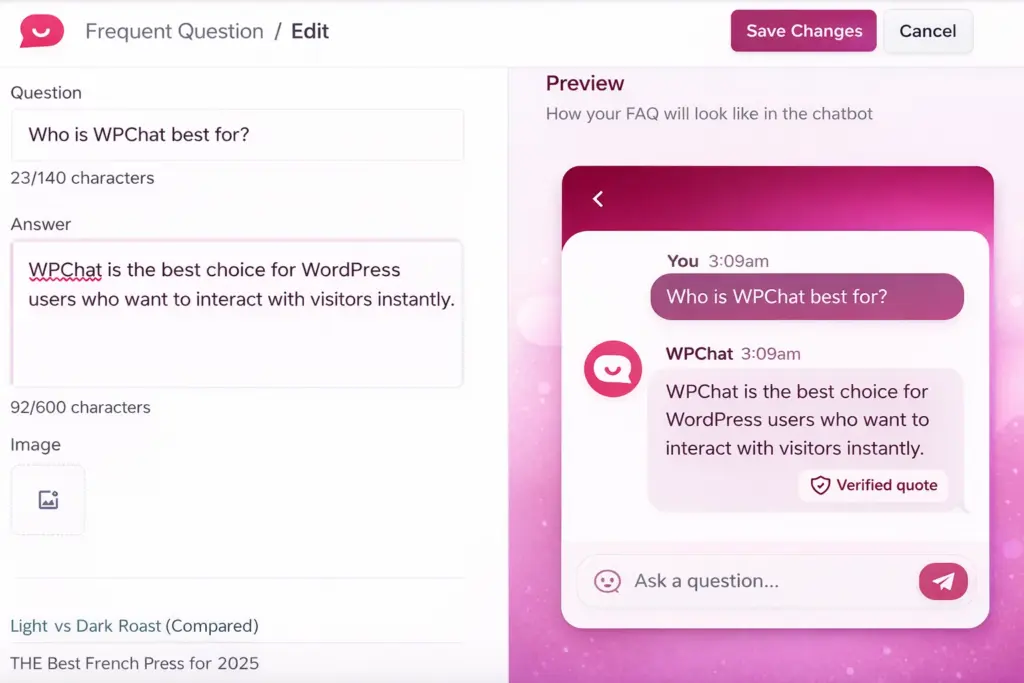
WPChat includes a Smart FAQ system designed to handle common questions automatically.
This system allows you to create a list of frequently asked questions that visitors can access instantly. Behind the scenes, AI helps match user questions to the most relevant answer—even if they phrase the question differently.
This means:
- Customers receive quick answers anytime
- Your team spends less time repeating the same responses
- Support staff can focus on more complex conversations
In many cases, simple automated replies are enough to help visitors move forward in the buying process.
Chat Funnels That Help Increase Conversions
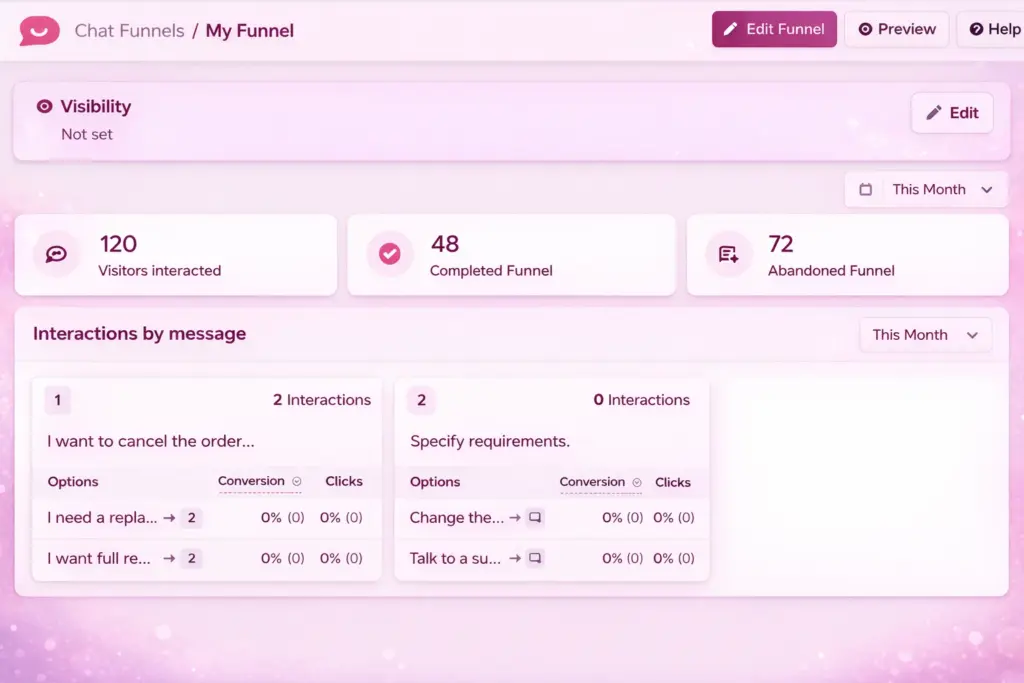
WPChat is not only designed for support. It also helps guide visitors toward taking action on your website.
One of its most interesting features is Chat Funnels.
A chat funnel is essentially a sequence of automated messages designed to guide visitors through key steps in your sales process.
For example, a funnel might:
- Welcome new visitors when they arrive
- Ask if they need help choosing a product
- Provide quick answers to common questions
- Recommend relevant products or services
- Encourage visitors to complete a purchase or book a consultation
These automated conversations help engage visitors at the right moment without requiring constant manual responses.
You can think of it as having a virtual sales assistant available around the clock.
Customize the Chat Assistant to Match Your Brand
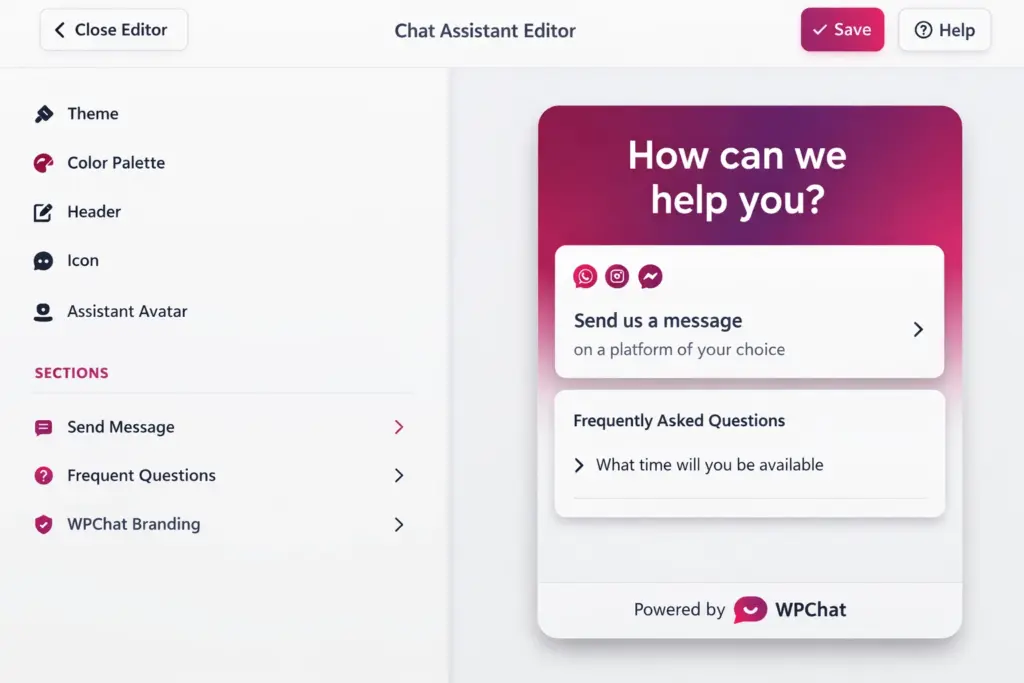
Every website has its own style and branding. A chat tool should feel like a natural part of your site rather than something that looks out of place.
WPChat allows site owners to customize several elements of the chat assistant.
Customization options include:
- Color themes and styling
- Chat icons and display buttons
- Welcome messages and greetings
- Header text and branding elements
- Display rules based on page type
For example, you can choose to display the chat assistant:
- Only on product pages
- After a visitor spends several seconds on the site
- On specific landing pages
- Across the entire website
These options help create a chat experience that feels professional and aligned with your brand.
Managing Support Teams Efficiently
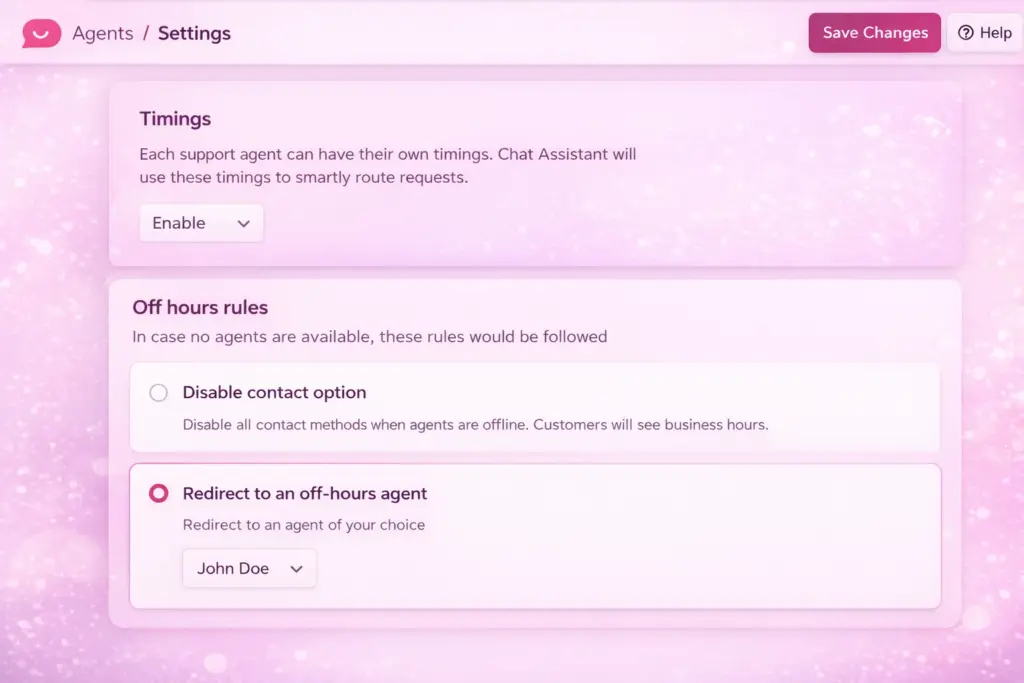
As your business grows, you may need multiple people handling customer conversations.
WPChat includes features designed to help manage support teams efficiently.
You can:
- Add multiple support agents
- Set availability schedules
- Automatically route chat requests
- Assign conversations to the right team member
This helps ensure visitors receive responses quickly without confusion or missed messages.
Whether you’re running a small online business or managing a larger support team, keeping conversations organized is essential.
Built-In Analytics for Better Decisions
Understanding how customers interact with your chat system can help you improve both support and sales.
WPChat includes analytics tools that provide useful insights directly inside your WordPress dashboard.
Some of the key metrics you can track include:
| Metric | What It Shows |
|---|---|
| Chat interactions | Total number of conversations |
| Conversions | Chats that lead to actions or purchases |
| Peak chat times | When visitors contact you the most |
| Popular FAQs | Questions customers ask most frequently |
| Agent response times | How quickly your team responds |
With this information, you can adjust your support strategy, improve FAQ responses, and ensure your team is available during the busiest periods.
Simple Pricing That Works for Small Businesses
One of the biggest complaints about live chat software is pricing. Many platforms charge based on the number of agents or conversations, which can quickly become expensive.
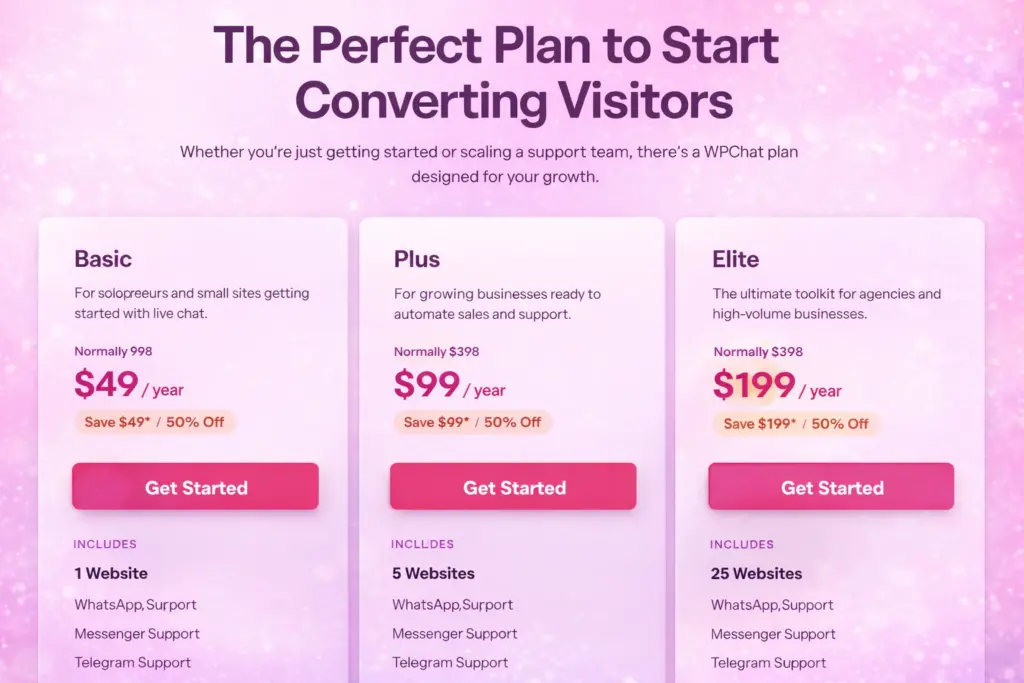
WPChat takes a different approach with straightforward annual pricing.
| Plan Type | Starting Price | Key Benefit |
|---|---|---|
| Basic Plan | $49/year | Affordable entry for small businesses |
| Paid Plans | Higher tiers available | Additional features and scaling |
| Free Version | Available | Try basic features before upgrading |
This structure allows businesses to start small and upgrade as needed without worrying about unpredictable monthly costs.
Created by the Team Behind Smash Balloon
WPChat is developed by the same team responsible for Smash Balloon, a well-known set of social media plugins used by more than 1.8 million websites.
The team has long focused on helping WordPress users connect with their audiences through social platforms. WPChat extends that idea by making direct communication with visitors easier.
Instead of just displaying social feeds, WPChat helps turn those connections into real conversations.
Final Thoughts
Customer expectations online have changed dramatically. People want quick answers, simple communication, and a convenient way to interact with businesses.
Traditional contact forms and outdated chat systems often fail to meet these expectations.
WPChat offers a modern approach by connecting WordPress websites with messaging apps people already use every day. With features like automated FAQs, chat funnels, customizable assistants, and built-in analytics, it provides tools that help website owners both support visitors and increase conversions.
For small businesses and WordPress site owners looking for a practical and affordable live chat solution, WPChat provides a straightforward way to start conversations that can lead to stronger customer relationships—and ultimately more sales.