
Follow Me On Social Media!



Keeping a WordPress website secure is no longer optional. Whether you run a blog, a business site, an online store, or a membership platform, malware can cause serious damage. A hacked website can lose traffic, get flagged by search engines, expose user data, and damage the trust you’ve worked hard to build.
That’s why many WordPress site owners use malware scanner plugins as part of their security setup. These tools help detect suspicious files, monitor changes, block attacks, and in some cases even remove malware automatically.
The challenge is choosing the right plugin. Some tools focus on malware scanning only, while others include full website protection with firewalls, login security, activity logs, and cleanup tools.
In this guide, we’ll look at five of the best WordPress malware scanner plugins and compare their strengths, pricing, and ideal use cases so you can choose the one that fits your website best.
Table of Contents
Why a WordPress Malware Scanner Matters
A malware scanner helps you identify harmful code or suspicious changes before they turn into bigger problems. That matters because malware does not always announce itself clearly.
In some cases, you may notice obvious signs like spam popups, redirects, strange admin users, or blacklisting warnings. In other cases, the infection stays hidden while damaging your SEO, injecting malicious scripts, or collecting sensitive data quietly in the background.
A good malware scanner helps you:
- detect suspicious files early
- monitor core file changes
- identify malicious code injections
- protect login and admin areas
- reduce the risk of blacklist penalties
- respond faster when something goes wrong
For many site owners, this kind of plugin becomes the first line of defense.
What to Look for in a WordPress Malware Scanner Plugin
Not all security plugins offer the same type of protection. Some are better for beginners, while others are built for advanced users or agencies managing multiple sites.
Before choosing a plugin, it helps to look at a few practical factors.
| Factor | Why It Matters |
|---|---|
| Malware detection | The plugin should reliably find infected files and suspicious code |
| Cleanup options | Detection is useful, but cleanup tools save time |
| Firewall protection | Helps block attacks before they reach your site |
| Ease of use | A clear dashboard makes security management easier |
| Performance impact | Some plugins scan heavily and may use more server resources |
| Support quality | Fast support matters if your site is hacked |
| Pricing | Security should fit your budget without sacrificing essentials |
The best option depends on your site type, technical comfort level, and how much protection you need.
1. Sucuri Security
Best for: Website owners who want a trusted all-around security solution with strong reputation monitoring and optional premium protection.
Sucuri Security is one of the most recognized names in website security. The plugin is designed to strengthen your WordPress site by monitoring activity, scanning for malware, and helping you respond if your site is compromised.
It works well as a layered security tool because it goes beyond basic malware scanning. It also checks file integrity, tracks security events, monitors blacklist status, and supports post-hack recovery steps.
One of its biggest advantages is that premium users can connect it with Sucuri’s web application firewall, which adds a stronger front-line defense against attacks.
Key strengths
- security activity auditing
- file integrity monitoring
- remote malware scanning
- blacklist monitoring
- hardening options for common weak points
- post-hack support guidance
- email security alerts
- firewall integration on premium plans
Pricing
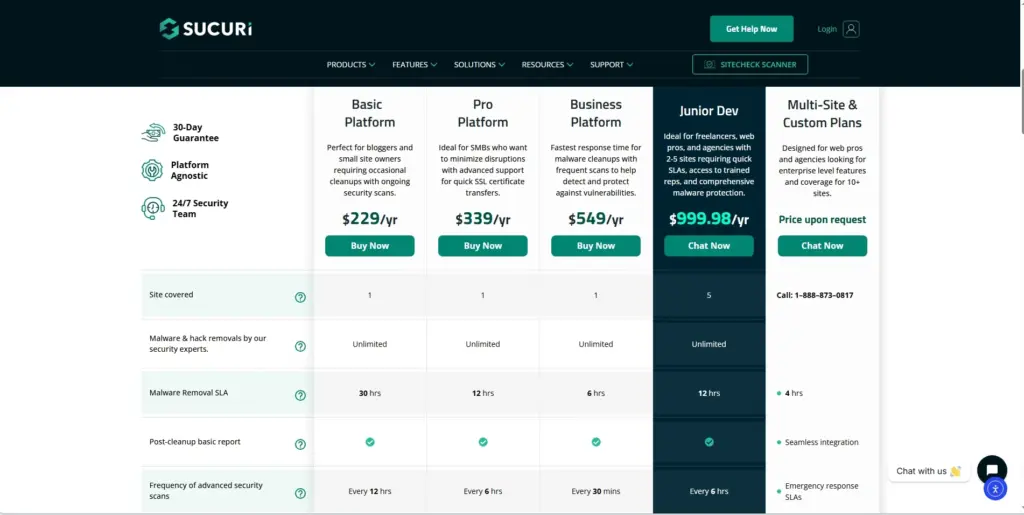
| Version | Price |
|---|---|
| Free | Available |
| Premium | From $199.99/year |
Why choose it
Sucuri is a good fit for site owners who want a reliable security brand and a more complete protection system rather than just a simple malware scanner.
2. MalCare
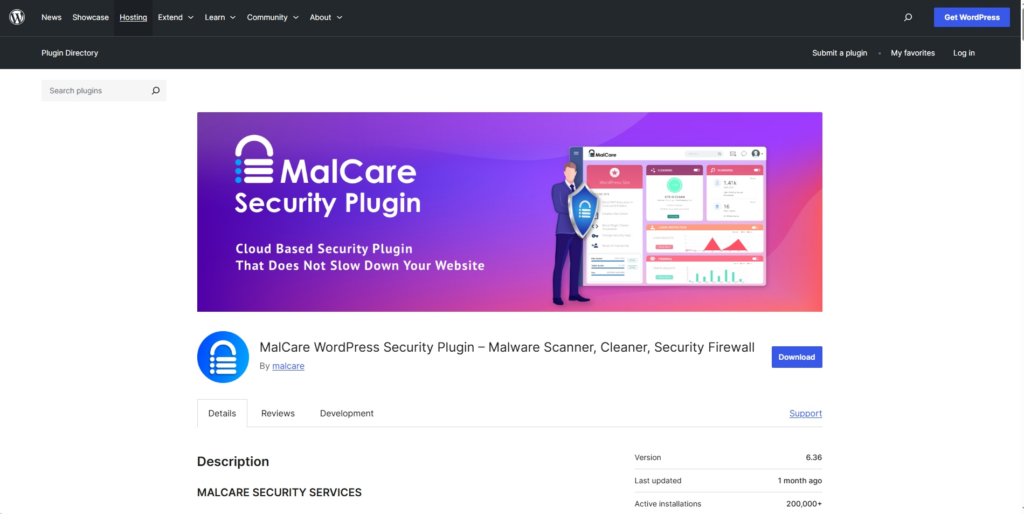
Best for: Users who want fast malware scanning and one-click cleanup without slowing down their website.
MalCare is built around a cloud-based approach, which means scanning is handled off your website server. That can be a major advantage for performance, especially if you are on shared hosting or want to avoid resource-heavy scans inside WordPress.
It is known for fast detection and easy malware removal. That makes it attractive for busy site owners who do not want to manually inspect files or deal with technical cleanup steps.
MalCare also includes a firewall and a central dashboard for monitoring site health and security, which adds to its overall usefulness.
Key strengths
- cloud-based malware scanning
- minimal impact on site speed
- one-click malware removal
- firewall protection
- country blocking
- centralized site management
- uptime and performance monitoring
- white-label options for agencies
Pricing
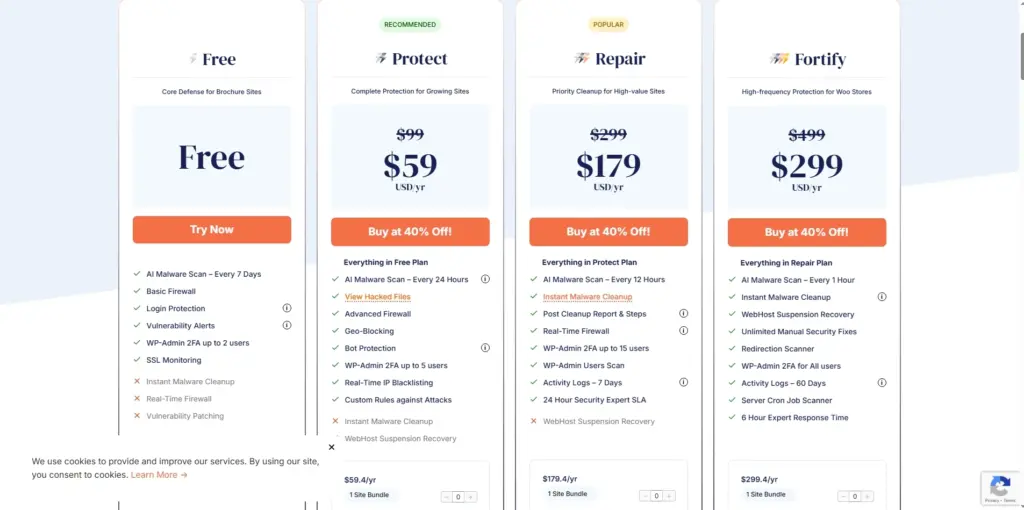
| Version | Price |
|---|---|
| Free | Available |
| Premium | From $149/year |
Why choose it
MalCare is a strong option if speed, simplicity, and automated cleanup matter more to you than deep manual control.
3. Wordfence
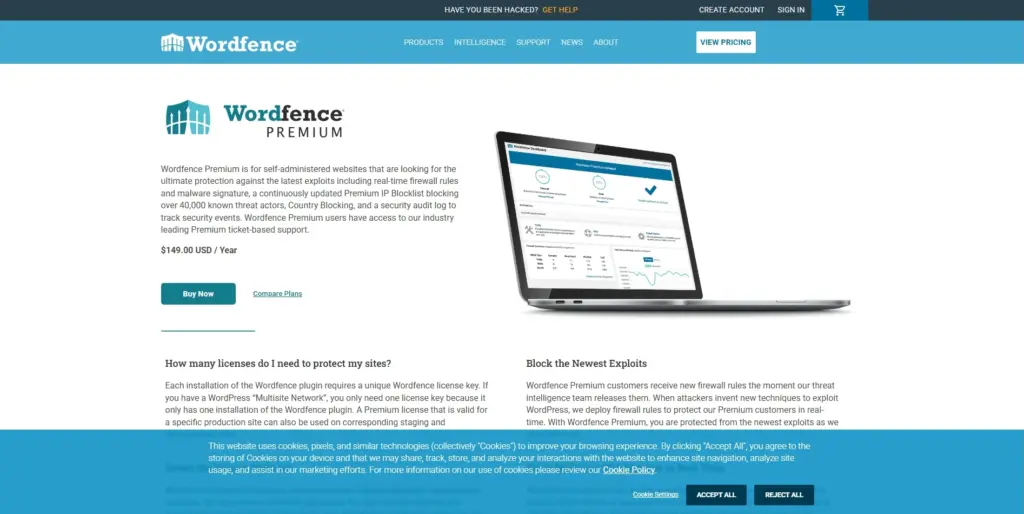
Best for: Users who want a powerful, feature-rich WordPress security plugin with strong malware scanning and firewall tools.
Wordfence is one of the most widely used WordPress security plugins, and for good reason. It combines malware scanning, login protection, firewall features, live traffic monitoring, and threat intelligence into one platform.
Its scanner checks WordPress core files, themes, plugins, malicious redirects, suspicious URLs, injected code, and backdoors. It is especially popular among users who want visibility into what is happening on their website.
The plugin also includes strong login security features such as two-factor authentication and compromised password protection, which adds another important layer.
Key strengths
- endpoint web application firewall
- malware and file scanning
- login security and 2FA
- CAPTCHA support for login protection
- live traffic monitoring
- blocking by IP, user agent, referrer, and more
- central management for multiple sites
- premium country blocking
Pricing
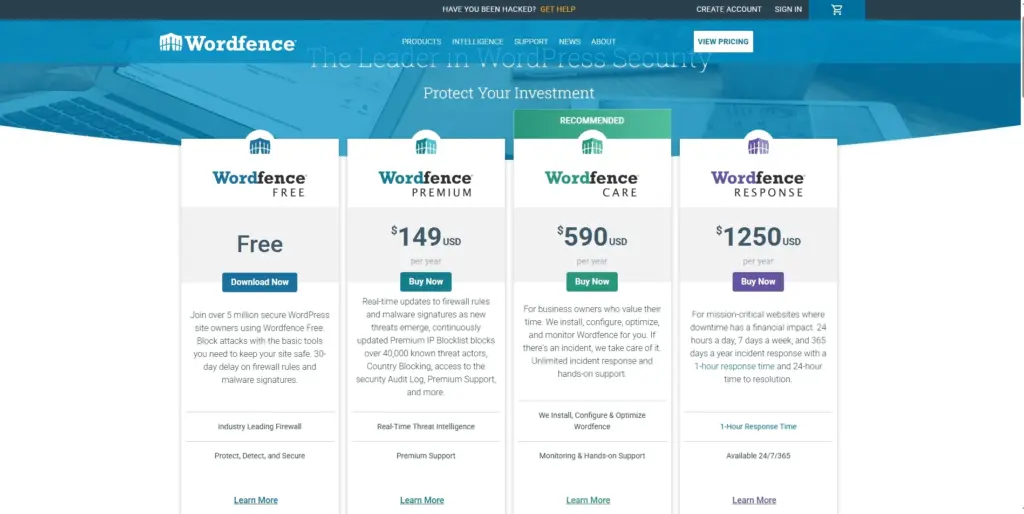
| Version | Price |
|---|---|
| Free | Available |
| Premium | From $119/year |
Why choose it
Wordfence is an excellent choice for WordPress users who want strong protection, deep security controls, and a plugin with a long track record.
4. Anti-Malware Security and Brute-Force Firewall
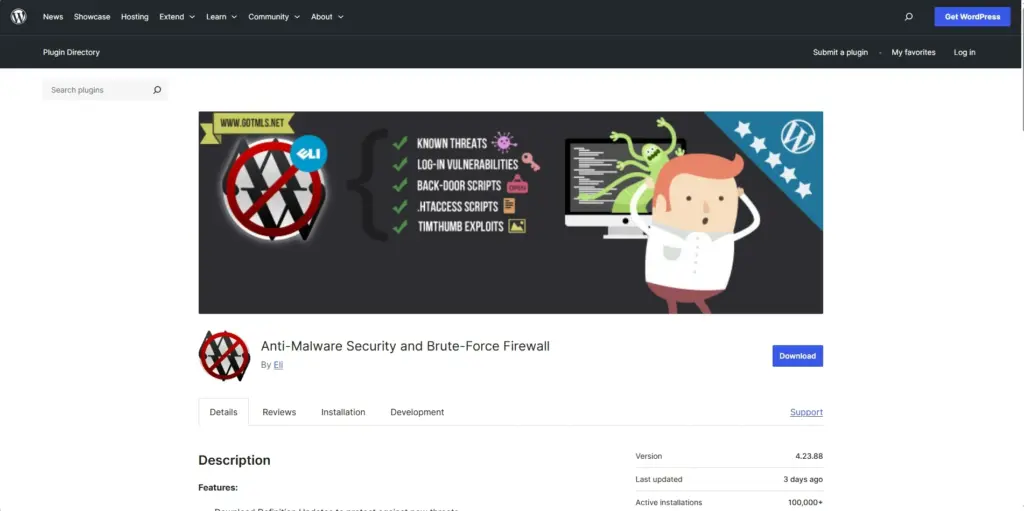
Best for: Beginners and small site owners looking for a free security tool with solid scanning and firewall basics.
This plugin may not be as widely discussed as Wordfence or Sucuri, but it has built a good reputation among users who want simple and affordable malware protection.
It focuses on scanning for known threats, removing backdoor scripts, checking file integrity, and protecting against brute-force login attacks. It also helps patch certain common vulnerabilities and offers automatic definition updates when running full scans.
For smaller websites or users who want an easy starting point, it can be a practical choice.
Key strengths
- malware and backdoor scanning
- firewall protection
- brute-force and DDoS defense features
- vulnerable script patching
- WordPress core file integrity checks
- automatic definition updates
Pricing
| Version | Price |
|---|---|
| Free | Available |
| Extra protection | One-time donation starting at $29 |
Why choose it
This plugin is appealing if you want a budget-friendly option and do not need an advanced enterprise-style dashboard.
5. BulletProof Security
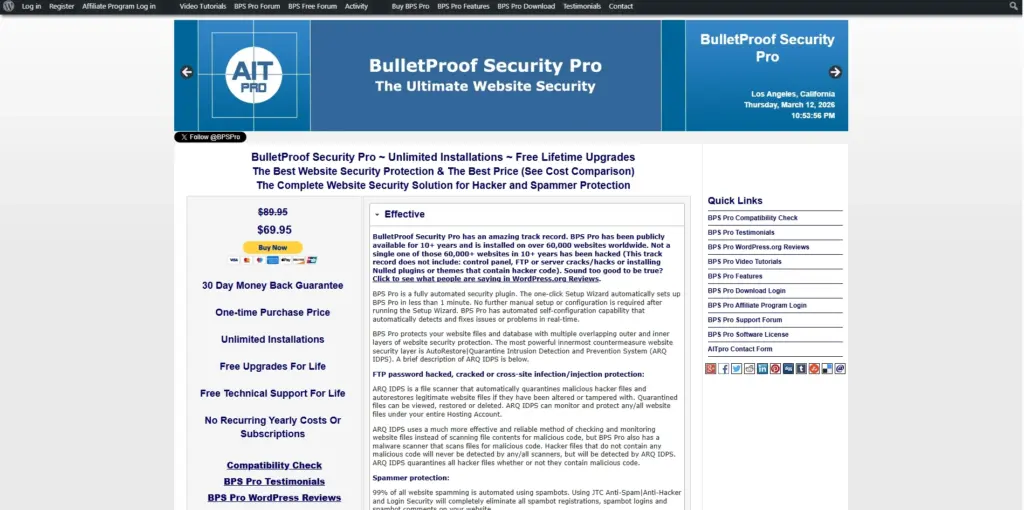
Best for: Users who want a low-cost security plugin with a wide feature set and one-time premium pricing.
BulletProof Security takes a broad approach to WordPress protection. In addition to malware scanning, it includes database backup tools, login monitoring, quarantine and restore features, spam protection, and .htaccess-based security rules.
Its interface and setup style may feel a bit more technical compared to some modern cloud-based tools, but it offers a lot of value, especially considering its one-time premium price.
That makes it attractive for users who prefer paying once rather than subscribing every year.
Key strengths
- setup wizard for initial protection
- malware scanning for files and database
- file restore and quarantine features
- .htaccess-based site protection
- login monitoring and brute-force defense
- database backup tools
- anti-spam and anti-hacker features
Pricing
| Version | Price |
|---|---|
| Free | Available |
| Premium | $69.95 one-time |
Why choose it
BulletProof Security makes sense for users who want many security features at a relatively low long-term cost.
Quick Comparison of the Top WordPress Malware Scanner Plugins
Here is a simplified side-by-side look at the five plugins.
| Plugin | Free Version | Premium Price | Best For |
|---|---|---|---|
| Sucuri Security | Yes | $199.99/year | Trusted all-around protection |
| MalCare | Yes | $149/year | Fast cloud-based scanning and cleanup |
| Wordfence | Yes | $119/year | Deep security features and visibility |
| Anti-Malware Security and Brute-Force Firewall | Yes | Optional donation from $29 | Budget-friendly protection |
| BulletProof Security | Yes | $69.95 one-time | Broad features with one-time payment |
If you are choosing based mainly on budget, BulletProof Security and Anti-Malware Security are attractive. If you want a more polished and powerful platform, Wordfence, Sucuri, and MalCare are stronger contenders.
Which WordPress Malware Scanner Is Best?
There is no single best plugin for every website. The right choice depends on what type of protection you need and how hands-on you want to be.
Choose Sucuri Security if:
- you want a trusted security brand
- you care about blacklist monitoring
- you may want firewall integration later
Choose MalCare if:
- you want cloud scanning with low server impact
- you prefer quick cleanup tools
- you want something easy to manage
Choose Wordfence if:
- you want a very popular and feature-rich plugin
- you like detailed monitoring and control
- login security is a big concern for you
Choose Anti-Malware Security and Brute-Force Firewall if:
- you want a free or low-cost solution
- you have a smaller site
- you prefer something straightforward
Choose BulletProof Security if:
- you want broad protection without annual fees
- you are comfortable with a slightly more technical setup
- you value one-time pricing
How to Choose the Right Plugin for Your Site
If you are still unsure, it helps to match the plugin to your situation.
| Website Type | Recommended Direction |
|---|---|
| Personal blog | Free Wordfence or Antispam-style low-cost protection |
| Business site | Sucuri, Wordfence, or MalCare |
| WooCommerce store | MalCare, Wordfence, or Sucuri |
| Agency or multiple client sites | MalCare or Wordfence Central |
| Budget-conscious site owner | Anti-Malware Security or BulletProof Security |
Security tools are most effective when they match your real needs. A small brochure website may not need the same setup as an eCommerce store handling customer accounts and payments.
Final Thoughts
A malware scanner plugin is one of the smartest security upgrades you can add to a WordPress website. It helps you catch problems early, improve your protection, and reduce the damage a security issue can cause.
If you want the safest long-term approach, do not rely on malware scanning alone. Combine it with strong passwords, regular backups, updates, firewall protection, secure hosting, and careful plugin management.
Among the five plugins in this list, Wordfence stands out for its popularity and strong feature set, MalCare is excellent for fast cloud-based cleanup, and Sucuri remains a solid choice for users who want a trusted all-around platform. Budget-focused users may prefer BulletProof Security or Anti-Malware Security and Brute-Force Firewall.
The best plugin is the one you will actually configure properly, keep updated, and use consistently as part of a real website security routine.