Follow Me On Social Media!



Okay, real talk — you spent weeks (maybe months) putting your WordPress site together. You agonized over fonts, rewrote your “About” page four times, and finally hit that glorious Publish button… and then? Crickets. Your site is just sitting there, invisible, like it’s in witness protection.
Here’s the thing nobody tells you upfront: Google doesn’t hand out rankings like participation trophies. You’ve got to earn them. And if your WordPress site isn’t ranking on Google, there’s always a reason — usually several.
The good news? Most of these problems are totally fixable, even if you’re not a tech wizard. I’ve pulled together the most common culprits killing your Google rankings, and I’m giving you the exact fixes. Let’s dig in.
Table of Contents
1. Your Site Is a Newborn — Google Needs to Trust It First
Here’s something that’ll either comfort you or frustrate you: if your site is brand new, it might just need time. Google puts new domains through what SEOs call the “Sandbox” — basically a “let’s wait and see” period before they start showing you to anyone.
How long? Anywhere from 3 to 6 months, honestly. I know, I know — that’s not what you wanted to hear. But here’s what you CAN do right now to speed things up:
- → Head to Google Search Console and submit your sitemap. Seriously, do this today.
- → Use the URL Inspection tool to request indexing for your most important pages.
- → Keep publishing fresh, quality content regularly — Google’s crawlers love an active site.
💡 Think of it like being the new kid at school. You can’t skip the awkward phase, but you can definitely make a great first impression.
2. You’ve Got Technical Gremlins Sabotaging Your Rankings
Technical SEO isn’t the sexiest topic, but it’s the foundation everything else is built on. If Google can’t properly crawl or render your site, all that brilliant content you wrote? Wasted. Here are the sneaky culprits to check first:
You (accidentally) told Google to stay away 😬
This one makes me cringe because it happens ALL the time. WordPress has a little checkbox under Settings > Reading that says “Discourage search engines from indexing this site.” Developers tick it while building the site… and then totally forget to untick it.
✅ Fix: Go to Settings > Reading right now and make sure that box is unchecked. This might literally be the only thing standing between you and Google traffic.
Your site loads like it’s on dial-up internet
Speed matters — like, a lot. Since 2021, Google has used Core Web Vitals as a ranking signal, which basically measures how fast and smooth your site feels to real users. Slow site = lower rankings. Here’s how to fix it without losing your mind:
- → Switch to a speedy, lightweight theme — Astra, GeneratePress, and Kadence are all fantastic.
- → Install a caching plugin like WP Rocket (totally worth it) or the free W3 Total Cache.
- → Crush those image file sizes using ShortPixel or Imagify, and convert to WebP format.
- → If your hosting is cheap and sluggish, consider upgrading to Kinsta, WP Engine, or Cloudways.
It looks terrible on mobile — and Google noticed
Google switched to mobile-first indexing a while back, meaning it judges your site primarily on how it looks and performs on a phone. If your WordPress theme isn’t responsive, you’re basically waving goodbye to rankings. Run your site through Google’s Mobile-Friendly Test — it’s free and takes 30 seconds.
3. Your SEO Plugin Is Just Sitting There Doing Nothing
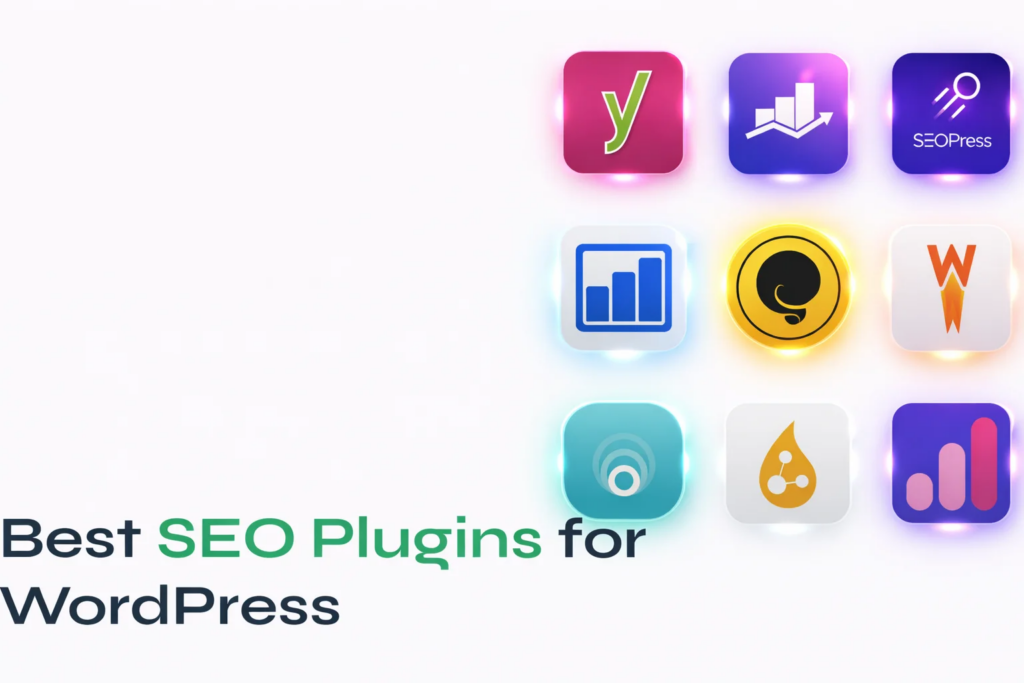
Installing Yoast SEO or Rank Math and leaving everything on default settings is like buying a sports car and never leaving first gear. The plugin is a tool — you have to actually configure it properly.
Here’s the non-negotiable stuff you need to set up for every single page and post:
- → A punchy meta title that includes your target keyword — keep it under 60 characters.
- → A meta description that makes people WANT to click — under 160 characters, make it irresistible.
- → Enable XML sitemaps and plug that URL straight into Google Search Console.
- → Set canonical URLs so Google knows which version of a page is the “real” one.
- → Turn on Open Graph settings so your content looks great when shared on social media.
💡 Pro tip: Think of your meta description as a tiny ad for your page. If it’s boring, nobody clicks. No clicks = Google thinks your content is irrelevant. It’s a vicious cycle.
4. Your Content Is Too Thin — Google’s Not Impressed
Google’s whole job is to give searchers the best possible answer to their question. So if your page is 200 words of vague fluff, Google’s algorithm is going to look at it, shrug, and send users to someone else’s site instead. Ouch.
The key is something called search intent — basically, WHY is someone typing that query? Are they trying to learn something, buy something, or find a specific website? Your content needs to match that intent perfectly, or Google won’t rank it.
Here’s how to write content that actually ranks:
- → Go after long-tail keywords — specific, lower-competition phrases with real buying or learning intent. Easier to rank, better conversions. Win-win.
- → Write thorough, in-depth content. For competitive topics, think 1,500 to 3,000+ words. Google rewards depth.
- → Use related terms and natural language variations — don’t just repeat the same keyword over and over (that’s keyword stuffing and Google hates it).
- → Break things up with clear H2 and H3 headings that include your keywords naturally.
- → Add images, videos, or infographics. People stay on the page longer, and that tells Google your content is worth reading.
5. You’re Skipping On-Page SEO Basics (Easy Wins Here!)
On-page SEO is all the stuff you can control directly on each page or post. A lot of people write great content and then completely ignore these signals that help Google figure out what the page is about. Don’t be that person.
Here’s a quick checklist to run through for every post you publish:
- → Drop your focus keyword naturally in the first 100 words of your content.
- → Keep your URL slug short and keyword-rich — lose the dates and random numbers.
- → Write descriptive alt text for every image. It helps accessibility AND SEO.
- → Aim for a keyword density of about 1–2%. Enough to signal relevance, not enough to sound robotic.
- → Use internal links to connect related posts and distribute page authority across your site.
- → Add schema markup (structured data) to help Google display rich snippets — your SEO plugin probably has a setting for this!
6. Nobody’s Linking to You — You’ve Got Zero Street Cred
Backlinks are basically the internet’s way of vouching for you. When reputable websites link to your content, Google sees it as a big thumbs-up and bumps you higher in the rankings. A WordPress site with zero backlinks is like a restaurant with no reviews — why would anyone trust it?
Building backlinks takes time, but here are some strategies that actually work:
- → Write guest posts for established blogs in your niche. You get a link, they get content. Win-win.
- → Create genuinely useful “linkable assets” — original data, infographics, or the most comprehensive guide on a topic. People naturally link to resources like this.
- → Try HARO (Help a Reporter Out) — journalists are always looking for expert quotes and they’ll often link back to your site.
- → Find broken links on other websites and suggest your content as a replacement. It sounds cheeky, but it works.
- → Think about digital PR — interviews, podcast appearances, partnerships. These all generate natural backlinks over time.
💡 Quality beats quantity every time. One link from a respected site in your niche is worth more than 50 random links from shady directories.
7. Your Pages Are Competing With Each Other (Oops)
Keyword cannibalization sounds like something from a horror movie, but it’s really just what happens when multiple pages on your site target the same keyword. Instead of one strong page rising to the top, you end up with a bunch of confused, weak pages dragging each other down. Google doesn’t know which one to rank, so it picks none of them.
Duplicate content has a similar vibe — tag pages, category archives, and copied text all dilute your site’s SEO authority and can actually get you penalized.
Here’s how to sort it out:
- → Run your site through Semrush, Ahrefs, or Screaming Frog to spot where cannibalization is happening.
- → Merge similar pages into one big authoritative page, or set up 301 redirects.
- → In your SEO plugin, set thin archive pages (tags, categories, authors) to noindex.
- → Use canonical tags to tell Google which version of a page is the definitive one.
8. You’re Swinging for the Fences on Impossible Keywords
Look, I get it — everyone wants to rank for “digital marketing” or “best running shoes.” But unless you’re Nike or HubSpot with millions of backlinks and a decade of domain authority, those keywords are just not happening. Sorry!
The smarter play? Go long-tail. Instead of “weight loss,” try “best low-carb meal prep for busy moms.” Less competition, more specific, and — bonus — people searching for it are much more likely to actually buy something or sign up for your list.
Some tools to help you find those golden long-tail keywords:
- → Google Keyword Planner — free, shows volume and competition. Great starting point.
- → Ubersuggest — super beginner-friendly and shows what competitors are ranking for.
- → Ahrefs or Semrush — the pro-level tools if you’re serious about this stuff.
- → AnswerThePublic — brilliant for finding real questions people are actually typing into Google.
9. Google Doesn’t Know If It Can Trust You Yet (Hello, E-E-A-T)
Google has a thing called E-E-A-T — Experience, Expertise, Authoritativeness, and Trustworthiness. It’s how Google’s quality raters decide if your content is legit or just some random person on the internet making stuff up. This matters especially if you write about health, money, or legal stuff.
Want Google to trust you more? Here’s what actually moves the needle:
- → Write proper author bios. Who are you? What makes you qualified to talk about this? Show your credentials.
- → Have a solid “About Us” page and make it easy to contact you. Anonymous sites feel sketchy to Google.
- → Get mentioned or cited by well-known publications in your niche — it signals that real experts respect you.
- → Publish original research or case studies. First-hand experience is gold in Google’s eyes right now.
- → Make sure your site has HTTPS (the little padlock in the browser). No SSL = instant trust killer.
10. You’re Not Checking Google Search Console — Big Mistake
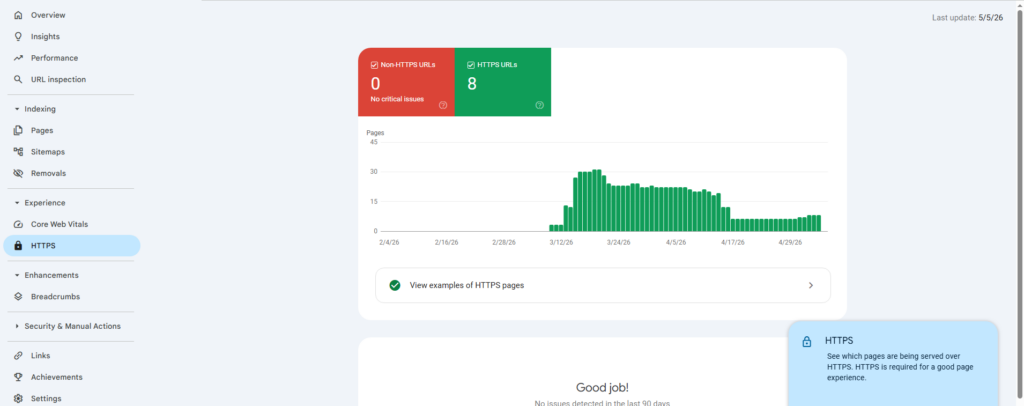
Not using Google Search Console is honestly like driving with your eyes closed. It’s a completely free tool that tells you everything — which keywords are bringing people to your site, which pages have errors, where you’re almost ranking (but not quite), and if Google has flagged any security issues.
Set a reminder to check these things at least once a month:
- → Coverage report — are any of your pages not getting indexed? Find and fix those errors.
- → Core Web Vitals — is your site fast enough on mobile and desktop?
- → Performance report — filter for keywords ranking in positions 11–20. These are your quickest ranking wins if you optimize those pages a little more.
- → Manual Actions — if Google has penalized your site for something, you need to know ASAP.
Bonus: AI Search Is Changing Everything — Here’s What to Do
Okay, one more thing before we wrap up — and this is genuinely exciting. SEO in 2025 isn’t just about Google’s traditional blue links anymore. Google’s AI Overviews, ChatGPT search, and Perplexity are all becoming major ways people find information online. There’s a whole emerging discipline called Generative Engine Optimization (GEO) that’s all about getting your content cited and featured by AI tools.
Here’s how to get ahead of the curve:
- → Write clearly and authoritatively — AI models love content that directly answers questions without all the fluff and padding.
- → Add FAQ sections to your posts. AI tools love pulling answers from structured Q&A formats.
- → Implement JSON-LD structured data so AI crawlers can easily understand and parse your content.
- → Build topic clusters — a hub page supported by related posts — rather than publishing isolated articles. This establishes topical authority, which both Google and AI tools respect enormously.
Alright, Stop Guessing and Just Go Fix It 🚀
Here’s the honest truth: if your WordPress site isn’t ranking on Google, it’s not bad luck, and you’re not being unfairly ignored. There are specific, fixable reasons — and now you know what most of them are.
Start with the easy stuff: check that indexing isn’t accidentally disabled, get your sitemap submitted, and make sure your SEO plugin is actually configured. Then work your way up to content quality, backlinks, and building long-term authority.
The sites crushing it in Google’s search results in 2025 aren’t doing anything magical. They’re just being consistent and deliberate about the basics. You’ve got the roadmap now — go make it happen!
Your Quick-Fix Priority Cheat Sheet
Bookmark this and work through it in order:
| The Problem | How Urgent? | Time to Fix |
|---|---|---|
| Indexing accidentally disabled | 🔴 Drop everything | 2 minutes |
| Slow page speed | 🔴 Drop everything | 1–3 hours |
| No XML sitemap submitted | 🔴 Drop everything | 15 minutes |
| Missing meta titles & descriptions | 🟠 Do this week | 1–2 hours |
| Thin or unhelpful content | 🟠 Do this week | Ongoing |
| Zero backlinks | 🟠 Do this week | Ongoing |
| Keyword cannibalization issues | 🟡 Schedule it | 2–4 hours |
| Schema markup not set up | 🟡 Schedule it | 1–2 hours |
| Weak E-E-A-T signals | 🟡 Schedule it | Ongoing |
| Not monitoring Google Search Console | 🟢 Quick win | 30 minutes |